
 lumiya.com.tr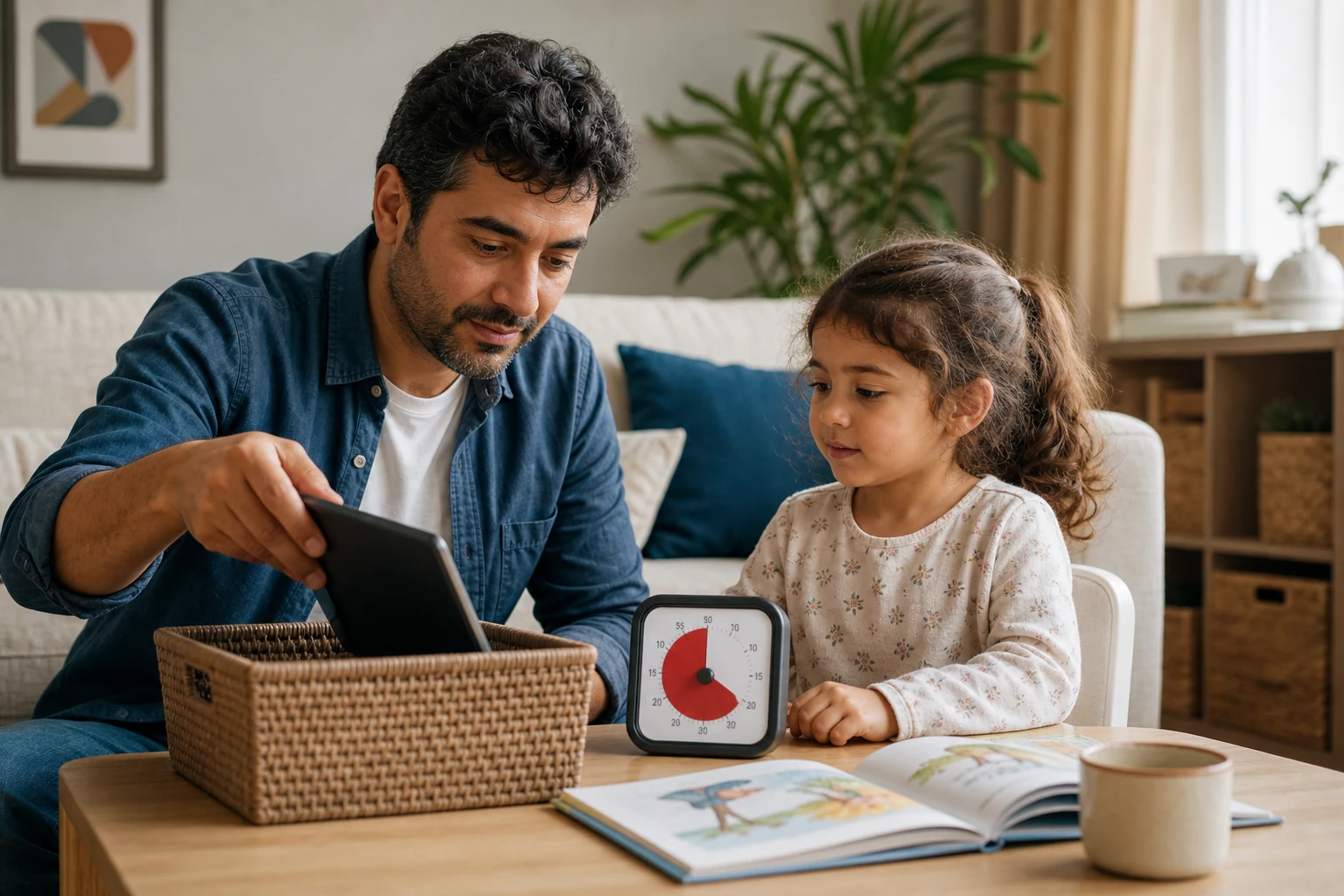
A healthy balance with screens
Screen Time for 3–6 Year Olds
Practical ways to balance screen time with play, sleep, meals, and family time for preschoolers. Learn how to set routines, choose calm transitions, and model healthy habits without relying on timers or apps.
General Information: General information only; it may vary from child to child. Talk to your doctor or a specialist before making decisions.
In short
- Screen time works best when it’s purposeful, not passive, for 3–6 year olds.
- Shared viewing or play keeps screen time social and language-rich.
- Calm transitions away from screens protect sleep, meals, and family time.
- Family routines and adult modeling matter more than any single rule or app.
Lumiya Editorial TeamBased on 4 sourcesOur editorial standards
Our tool for this topic
Why the whole day matters more than the screen minutes
For children ages 3 to 6, the goal isn’t to hit a specific number of minutes but to shape a daily pattern where screens serve a clear purpose and fit naturally around meals, sleep, outdoor time, and family contact.
Think of screen time as one piece of a larger rhythm. If the rest of the day includes active play, shared meals, and predictable rest, a short, purposeful screen session can fit without disrupting sleep or family time. The key is to notice how screens fit into your child’s ordinary day—not just how long they last.

Screen time works best when it’s a tool for connection, not a replacement for it.
Choosing purpose and presence over passive viewing
Not all screen time is equal. A video watched together with comments and questions builds language and curiosity more than the same video played alone. Interactive apps or games that invite an adult to play alongside also support learning better than passive watching.
When screens are used, ask: What’s the purpose? Is it to calm, to teach, or to connect? If the goal is connection, join in. If it’s teaching, pick content that invites questions and exploration. Avoid using screens as a default during transitions or chores unless you plan to be present and engaged.
Shared viewing isn’t always possible, but even short moments of co-viewing can turn screen time into a social experience. The goal is to keep screens from becoming a solitary habit that replaces conversation or play.
Calm transitions and realistic next steps
Ending screen time smoothly is often harder than starting it. A calm stopping cue—a five-minute warning followed by a clear next activity—helps children shift gears without frustration. Offer a realistic alternative: a snack, a short walk, or a quick game with a favorite toy. The transition works best when the adult models the same calm shift.
If your child resists, stay neutral. Acknowledge the feeling—"I know it’s hard to stop when you’re having fun"—then gently guide toward the next activity. Over time, predictable routines reduce protest and make transitions easier for everyone.

The goal isn’t to eliminate protests, but to keep them ordinary and short-lived.
Sleep, meals, and movement: the non-negotiable anchors
Screens should not interfere with sleep, meals, or active play. Keep screens out of bedrooms and avoid screens during meals or an hour before bedtime. Outdoor time and active play are especially important for this age, supporting both physical health and emotional regulation.
The World Health Organization recommends at least three hours of active play spread through the day for preschoolers. Screen time can fit around that, not the other way around. If screens start to crowd out outdoor time or family meals, it’s time to adjust the pattern.
Shared devices, travel, and separated households
In many families, the device is shared or used during travel, illness, or special occasions. Shared devices can still support purposeful use if the adult sets the context—choosing content together and limiting duration.
Separated households face extra challenges. If screens are used during transitions between homes, keep the routines consistent and communicate clearly with the other caregiver about expectations. The goal is to avoid screen time becoming a point of conflict or a replacement for family contact.
Accessibility and different budgets
Screen time can be part of an inclusive routine for children with disabilities or accessibility needs. Choose apps or videos with clear audio, captions, or interactive elements that match your child’s abilities. If budget is a concern, many public libraries offer free access to tablets and educational apps, and low-cost options exist for basic devices.
The focus remains on purpose and presence. Even a short, well-chosen session can support learning or connection if it fits the child’s needs and the family’s rhythm.
One week to notice and adjust
Use this table to observe how screens fit into your child’s day. Note the purpose, who was present, how the transition went, and any effects on sleep, play, or family time. After a week, pick one change to test—such as shortening a session, adding a co-viewing moment, or shifting screen time away from meals.
| Day | Context | Screen Purpose | Duration | Adult Present? | Transition Response | Effect on Sleep/Play/Family | One Change to Test |
|---|---|---|---|---|---|---|---|
| Mon | Morning snack | Educational app | 12 min | Yes | Calm, shifted to outdoor play | Played outside afterward | Try 10 min next time |
| Tue | Travel wait | Video call with grandparent | 8 min | Yes | Happy, moved to snack | No sleep disruption | Keep same pattern |
| Wed | After preschool | Calm-down video | 7 min | No | Fussy, hard to shift | Played alone afterward | Try co-viewing next time |
| Thu | Dinner prep | Background cartoon | 15 min | No | Ignored meal invitation | Ate less, played alone | Move to after dinner |
| Fri | Weekend morning | Interactive game | 10 min | Yes | Shifted to puzzle | Played with sibling afterward | Repeat same day |
| Sat | Illness afternoon | Short episodes | 20 min total | Yes | Shifted to quiet book | Slept on time | Keep same pattern |
| Sun | Park visit | None | 0 min | N/A | N/A | Active play all afternoon | Celebrate the balance |
After a week, look for patterns. Did screens fit around meals and sleep? Did transitions go smoothly? Did your child join family activities afterward? Use what you notice to adjust the next week, focusing on purpose, presence, and smooth transitions rather than a fixed number of minutes.
Modeling the habits you want to see
Children learn by watching. If you want your child to have calm transitions, show them how you shift from one activity to the next without rushing or frustration. If you want screens to serve a purpose, use them intentionally in your own routine—perhaps for a recipe video during meal prep or a quick call to coordinate plans.
Adults don’t need to be perfect, but consistency in small moments builds the routines your child will follow. When screens are part of a predictable rhythm—around meals, outdoor time, and family contact—they fit naturally without crowding out what matters most.
When to seek extra support
Ordinary protests during transitions are normal, but repeated major sleep disruption, loss of ordinary play, or threats to family contact suggest it’s time to adjust the pattern. If screens are linked to distress, coercion, or exposure to harmful material, contact your pediatrician, preschool, or a local child-safety support service for guidance tailored to your child’s needs.
The goal is to keep screen time in its place—a tool for connection and learning, not a replacement for the routines that support healthy development.
General Information: This content offers general information based on expert sources. Every child, family and situation is different, so what is described here may vary from person to person. Talk to your doctor or a qualified specialist before making decisions about your child.
Was this article helpful?
This topic at other agesScreen time & balance
Tools for this Age
- Screen time by ageSee how much screen time a day your country's official body recommends at your child's age; add daily use to compare it with the advice.
- Baby percentile calculatorWhere does your child's weight and height sit among children the same age? See it in seconds on the WHO growth curves.
- Baby and child sleep scheduleHow much should your child sleep in 24 hours, and when should bedtime be? Calculate it from official guidance and compare it with your own log.
- Potty training chartWhen to start and how to prepare? A roadmap by age, a daily routine and a printable reward chart.
- Baby milestones by monthCheck off what most children your child's age can do, and talk about the rest with your doctor.
- Baby vaccine schedulePick your country, enter the birth date, and see the official schedule as your own dates.
Checklist
Popular Topics
Frequently Asked Questions
- 1
- 2
- 3
- 4
Editorial Note
If screen use is linked to repeated sleep loss, loss of ordinary play, or threats to family contact, contact your pediatrician or a local early childhood support service for guidance tailored to your child’s needs.
Other situations in this topic
Dealing with a different side of the same topic? Each situation has its own guide.